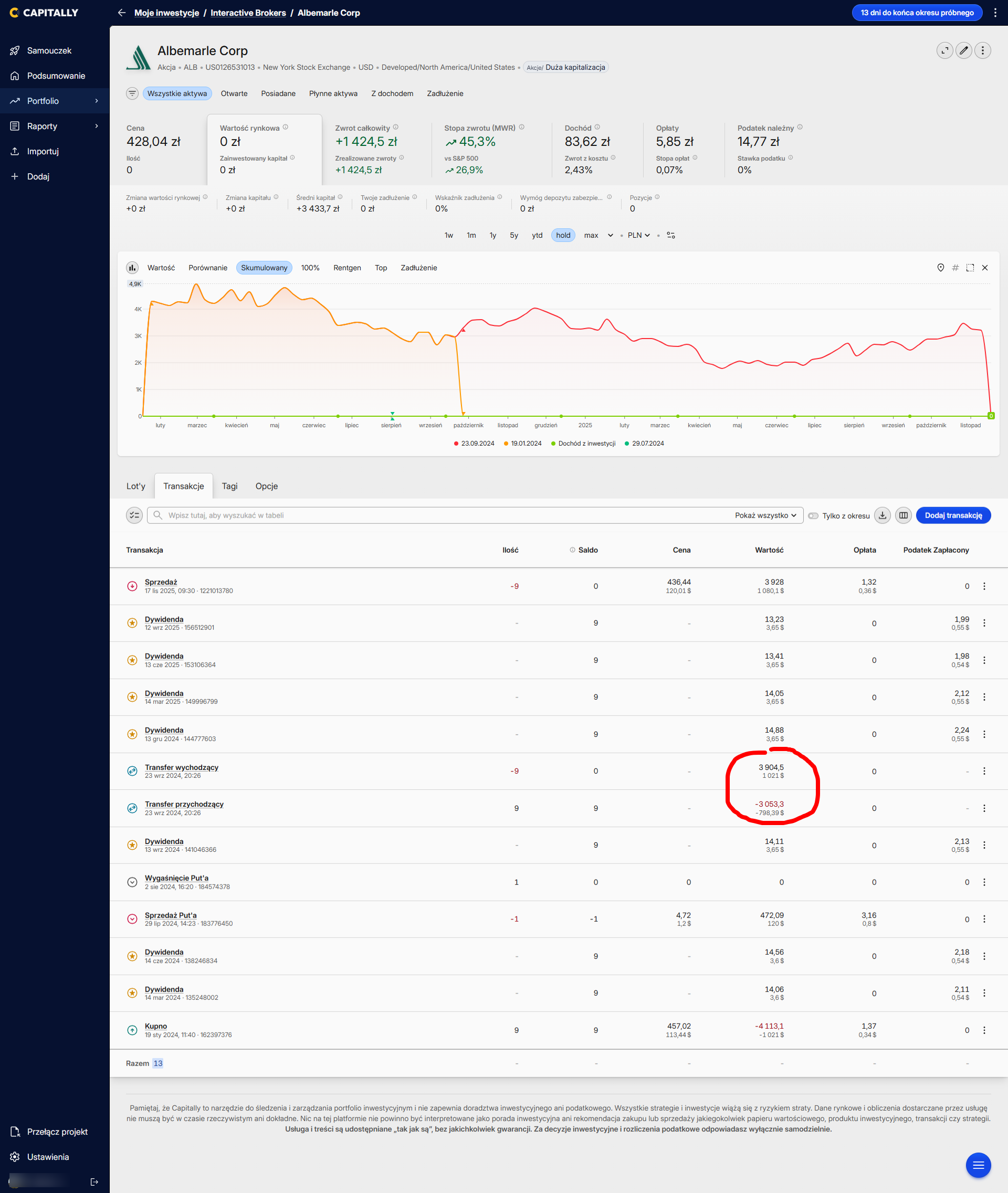
I imported the transaction history from IBKR, in which I had the account moved from Hungary to Ireland, and therefore a transfer of shares occurred. I noticed that the values of the incoming and outgoing transfer differ significantly, although in my opinion (IMO) they should be identical (here for example 9 shares of ALB).
I’m actually unsure whether they were imported exactly as provided by IBKR. Because in the CSV files downloaded from IBKR I can find entries with this transfer (matching the date and asset symbol), and there the incoming and outgoing transfer amounts are equal (respectively 774.27 and -774.27), while Capitally shows +1021 and -798.39 for those same dates.
The amount of $1021 appears in the last row for the purchase of these shares (there it happens to be correct), but maybe that’s just a coincidence…
Even if the workaround of deleting the transfers would help here, I have another case where I transferred AT&T shares from mBank. 11 August 2022 – 54 shares for $974.16.
[image]
In the CSV that same entry has an amount of $972.54. I can’t delete this transfer. If it’s taken directly, it should be identical (?), right?
Ok, if it’s different in the file, then there might be a bug in handling transfers from IBKR, or something may have changed in the files. If you can, please send me a sample file (a fragment from just that one day is enough) to support@mycapitally.com – I’ll check it and fix it.
If you have only this one transfer, you can of course adjust the transaction manually without waiting for the fix.