I am new to Capitally, trying to set up a US treasury bill/bond asset but somehow missing something or not fully understanding how this should work.
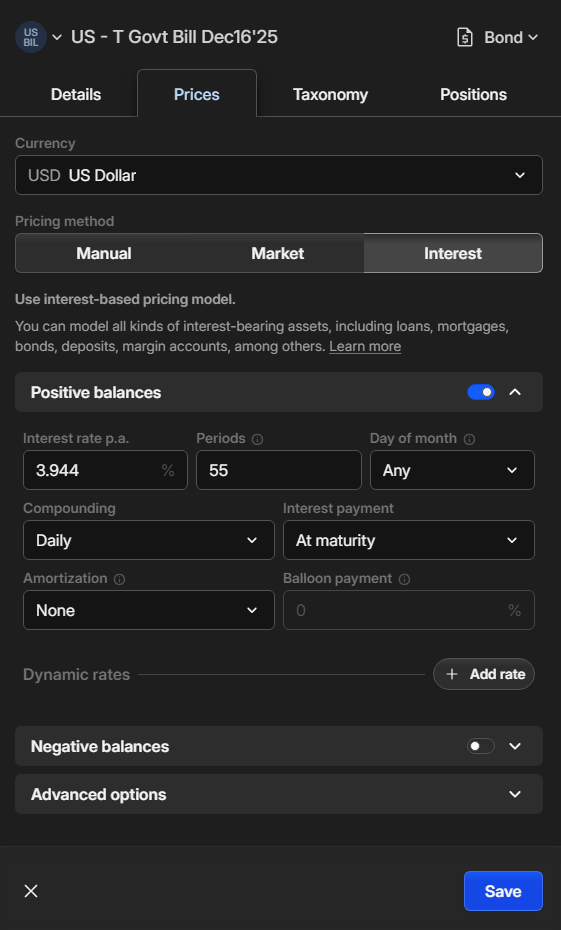
I set up the asset (custom asset) . US T bill matures on Dec 16 with 3.944 coupon. I leave the Period (time to maturity) blank for now.
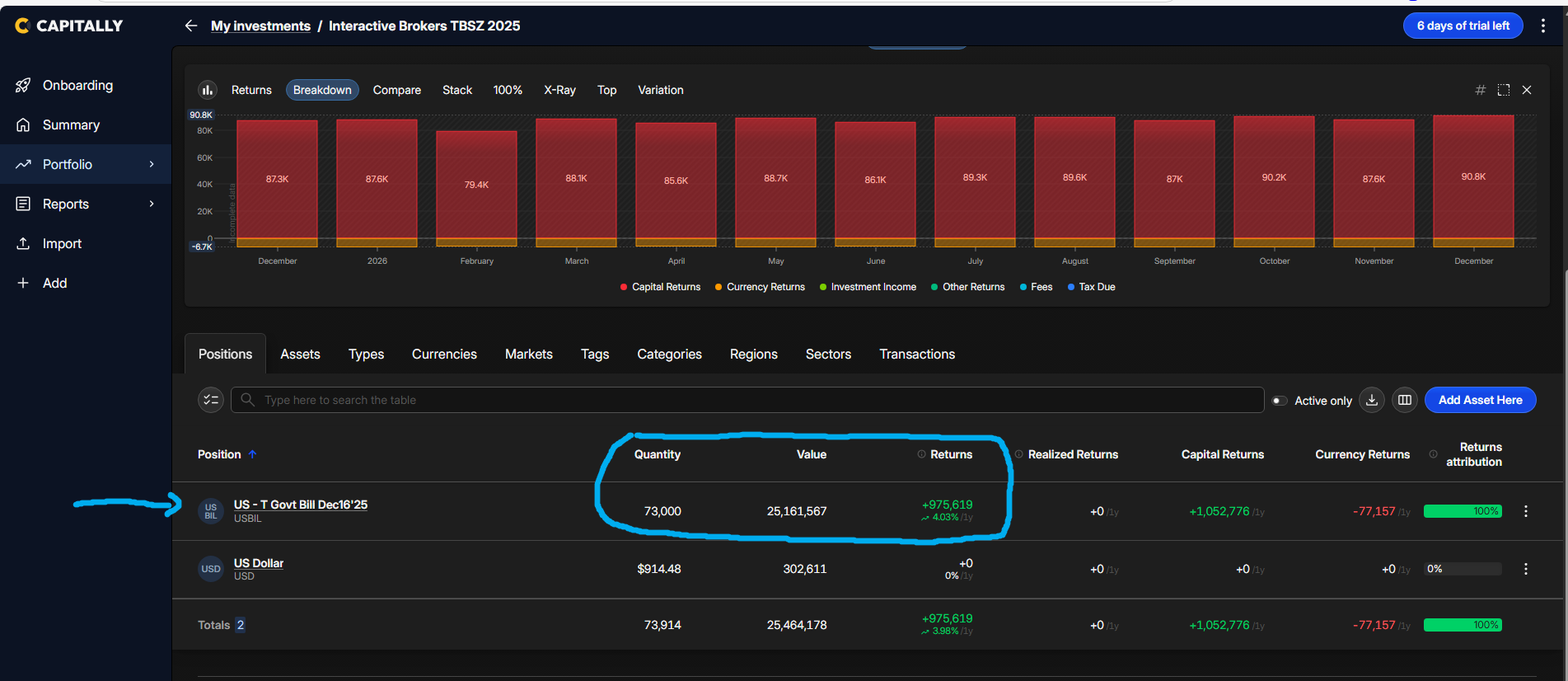
I buy the asset, US T bill was bought on Oct 22. The value of the transaction rolls up nicely under the account. Returns are calculated on yearly basis since no maturity is given that is also OK
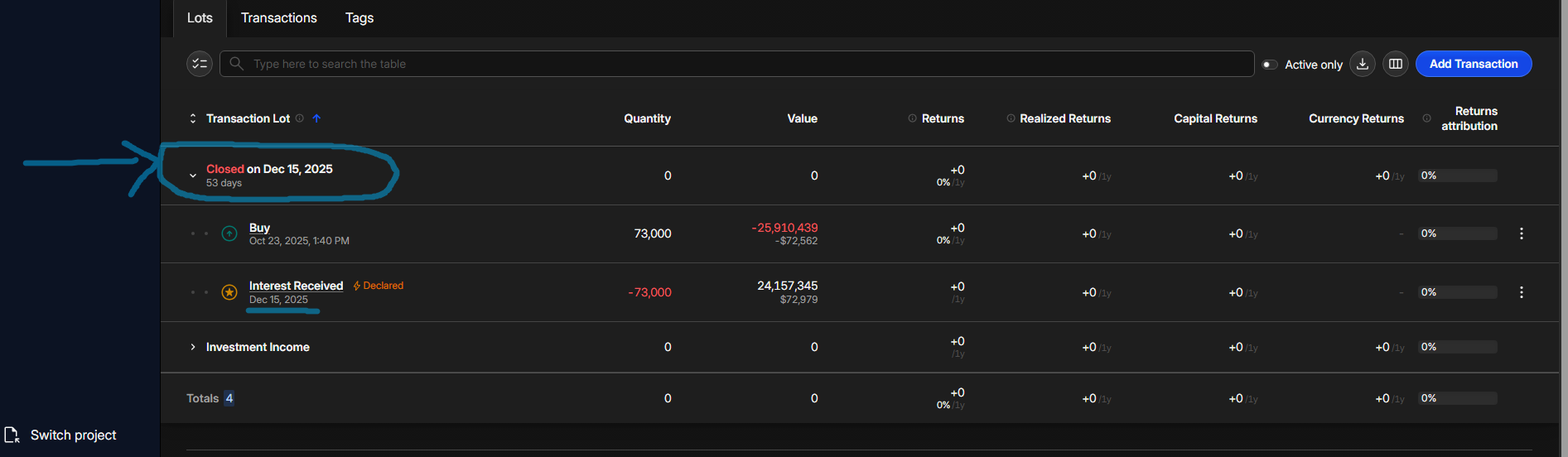
As soon as I enter a value in the field Period when configuring the asset, in this case 55 (55 days) as it should be since this matures on Dec 16, then the value of the asset “disappears” it now shows up as “closed”, interest received on a future date (Dec16) and is treated like a past transaction. Screenshot 3.
What am I doing wrong? Why would a future date appear as “closed” I would want to see the current value of the asset and the future stream of income for Dec 16 which would be a interest income unconfirmed transaction.
I assume (as I don’t see it), that you’re looking at a future date period - e.g. 2025 or hold - in which case the positions will be closed, as they would be at a future date. If you switch the period to one that ends today - e.g. ytd, or 1y - you should see it as Opened. You will still see the future Interest Received transaction, but it won’t be applied yet. You can hide these by enabling Active only toggle above the table.
As for your Interest settings, I believe it should be a bit different. I assume, that T-bills do not compound daily, but yearly, so what you need is:
Set Periods to 1
Set Compounding to Yearly
Open Advanced Options
Set Start date to a year ago from the maturity (it’s when the bond actually started compounding)
Enable Secondary market as you bought it mid-cycle
Btw, you can quickly duplicate any asset, so a similar bond will be much quicker to setup.
I hope one day we’ll have them in our database and it will get much simpler then.
Thank you Rafal! I realized I was on a different date not on “ytd” as you have pointed it out, problem solved!
May I have another one. When a bond (this is a different bond) pays interest but that interest goes to cash each time so is not reinvested then the correct way of declaring the “Interest Received” transaction is by entering the value of the interest in the “Principal amortized” cell, is that correct? In order to see that amount in a Cash account automatically I need to set the Cash Tracking cell to Enable under Edit Asset / Positions? Do I understand this correctly? And in this case the cash account is automatically created and populated each time interest is paid. When I do that however the total value of the asset purchase is deducted and shows up as a large negative under the cash account (which makes sense). Is there any workaround for this, or I should just create and update the cash account manually.
Amortized principal is money you originally invested returned to you - in case of bonds it’s almost always only at maturity. A regular paid out interest is simply Interest received. To reinvest that interest, you’d need to fill the Received & reinvested quantity field.
Yes. You can also enable it for the whole Account (when editing the Account) or globally in Settings.
There are no less than four solutions :
In most cases, you invested cash to buy it. So simply add a Transfer or Account Balance transaction with the cash symbol as an asset, to set whatever amount of cash you had on that account before buying the bond. Cash tracking works best if it reflects where it sits relative to your investments.
If your bonds are funded from a separate cash account, you specify that account in Cash Tracking settings (so both payment for the bond and interest payment are taken from/to that account’s cash position)
You don’t have to track cash. It makes the most sense when you track all the way through (as above). The income and returns will be correct without it, but you’ll loose the ability to quickly spot uninvested cash laying around.
You can also just disable cash tracking for one transaction - by switching Don’t track cash in transaction modal (at the bottom). If you enable it for the Buy, you won’t have negative cash, but income will be reflected.
 :
: