You’re right! Thanks for spotting that
1 Like
Update (2.24.3)
- All tax presets include capital gains from options.
- There are two new Tax types -
Option openandOption close. RegularBuy&Sellis now renamed toOpen (Buy)andClose (Sell)as they now work on short positions too.
As US taxes require costs of options to be rolled into the exercised stock, there will be a separate tax statement to do that soon.
Update (2.24.4)
- US taxes for options are handled as well, thanks to a new statement -
Forward if Opened
Adding options tracking would definitely put Capitally on a totally different category! I’ve been searching around for good tools and have tried quite a few (Snowball, Sharesight, …). None of them can track options except using custom assets. Definitely will be a great selling point!
1 Like
Just tried options. Was able to add call buying. How do I add call selling? Don’t see any place for this.
You use the Option transaction for everything related to options.
To sell (or short) you just enter negative quantity.
Update (2.25.4)
- Properly account for splits (strike price on transaction may be with or without the split applied)
- Price options using Black-Scholes-Merton model, using US 3M T-Bills index for risk-free rate, 1y of stock volatility and dividend yield
- Options can be marked as American or European - options on Indexes and Commodities default to EU, all others are US. In the next update, American options will use additional early-execution premium when pricing
- MWR algorithm is more effective in finding results in tricky cashflows - which are very common in options. There should be much less NaNs displayed for rate of return
Update (2.25.7)
- Fix handling of multiple options on the same asset
Shortbadge is displayed on shorted lots- Margin requirement metric displayed under Market Value tab
- Margin requirement plotted on the Owned/Owed chart as a dotted line
- Advanced tracking settings - risk free rate and margin requirements
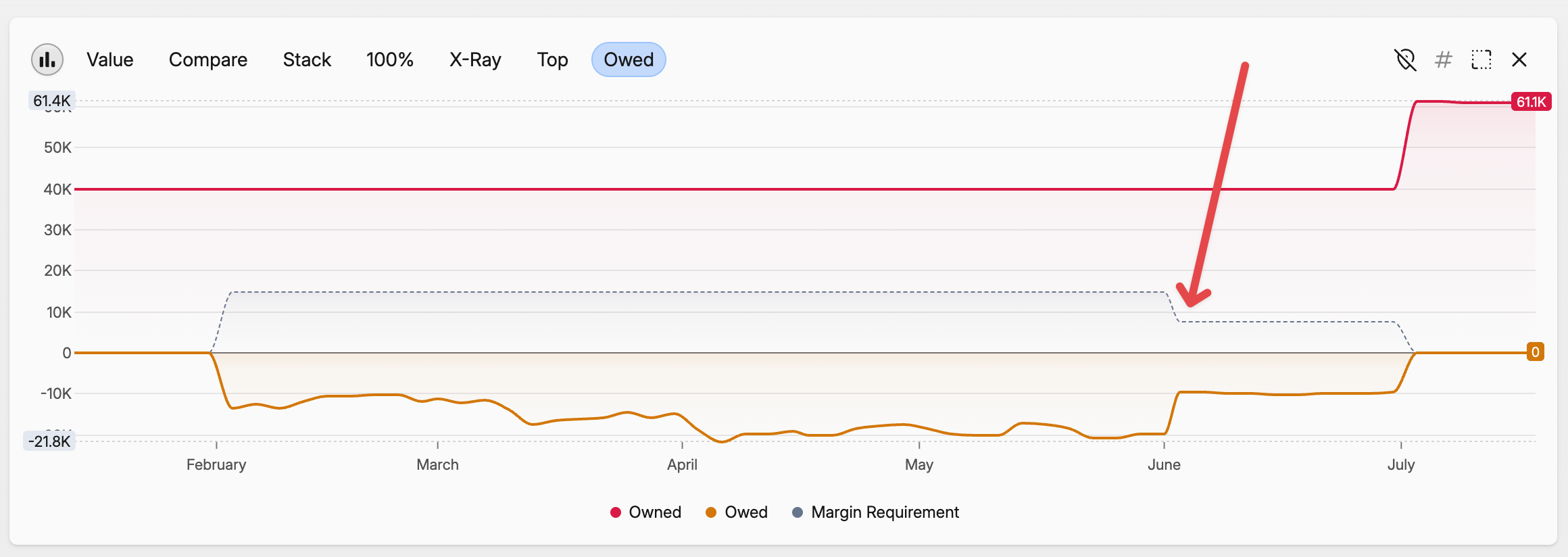
Update (2.26.0)
- Fix recognizing expiry/execution events that lead to too many expirations when buying/selling near the expiry date
- American options now use Barone-Adesi Whaley model for pricing, which adds an early execution premium to Black-Scholes
- Dedicated Options tab in portfolio - with Greeks. You need to enable it in Settings - General
- You can navigate to an option with dedicated metrics tab and charts
Hi Rafal, I have some weird issues when I turn on support for stock options, see the screenshots below.
It adds a “dT46Vs” menu, probably to configure options settings:
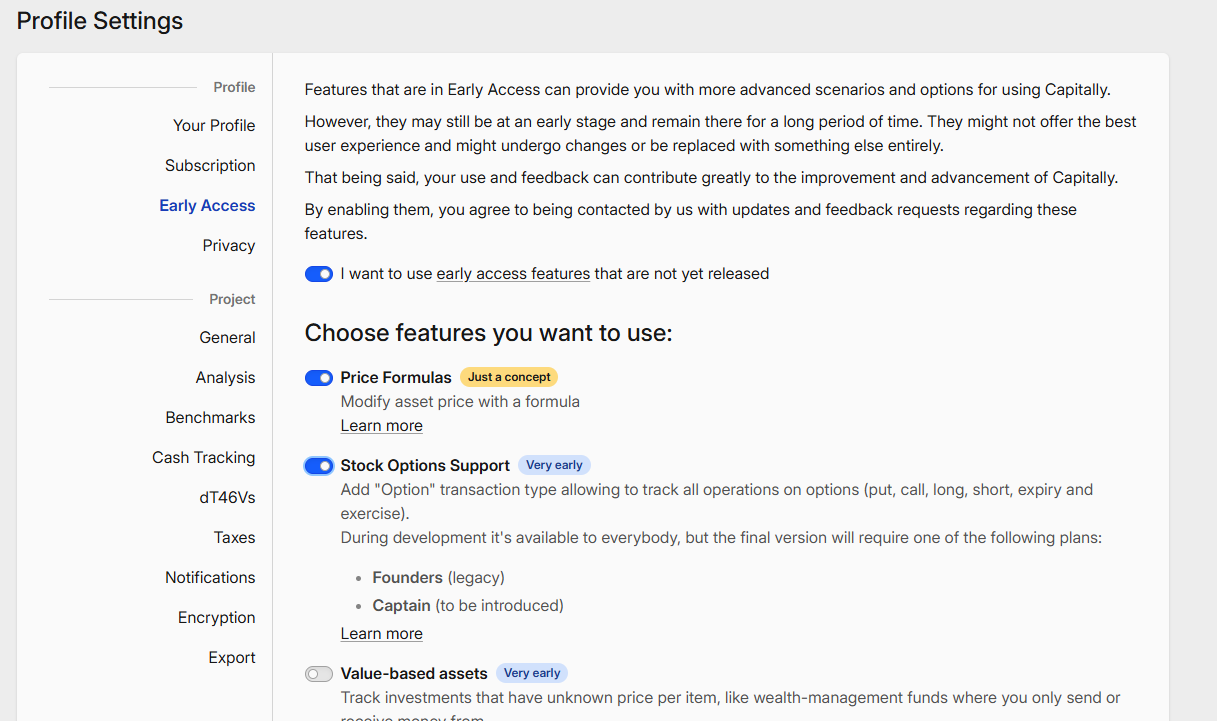
That’s what the menu looks like:
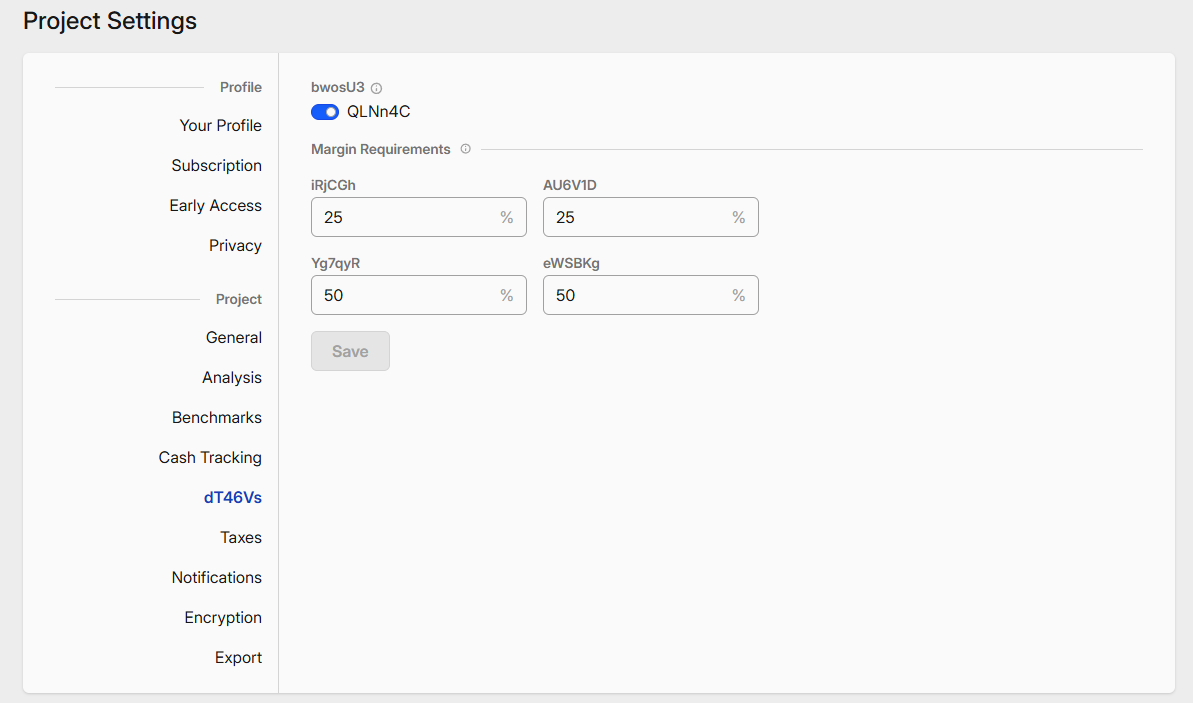
The positions look messed up as well, with “vqlFME”, instead of ‘Short’, I guess:

I’ve pushed a newer version (2.26.2) to address exactly this issue, though it was more than an hour ago. Can you check on which version you see that?
I was stuck on version 2.25.11 and it wasn’t showing a new version available. Restarting my browser took care of it: I’m now on 2.26.2 and the issue is gone. Thanks!
One quick suggestion: it’d be nice to have the expiry date mentioned instead of just “PUT @ 60”, see below. Technically, you can figure out it was Oct 31st because of the “expired 12 days ago”. So, something like “Oct 31 2015 PUT @ 60” would be helpful. Thanks!
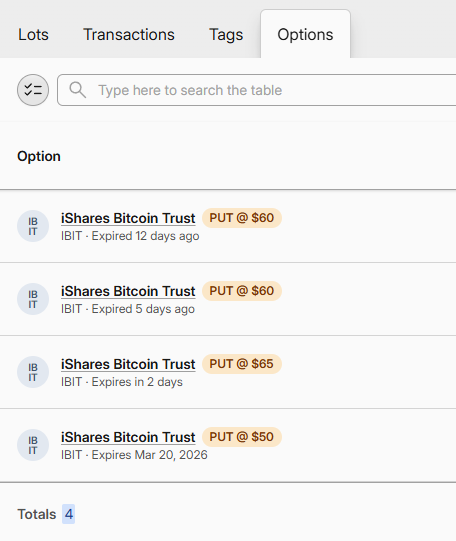
Not sure if that’s gonna fit well on the single line. Have you tried adding an expiry column? I could also make the date more prominent or always absolute, though for some knowing that the expiry is near is also relevant (could be both though)
Hi Rafal,
Spent quite a bit of time using the options features. Looking good!
One small change that I think will help tremendously is ease with entering the option purchase/sale. Since there are quite a few things to enter, I think it would be great if the app remembers the last options entered and automatically pre-fill them when a new transaction is entered. Would make it so much easier than having to enter expiry date, strike price over and over again. Usually people are buying the same option over and over again. Just my 2 cents.
Thanks,
Derek
You can do that already in two ways:
- Find the similar option transaction, from the ‘…’ menu pick “Clone transaction”
- With the latest update navigate to an option from the “Options” tab and click “Add transaction” button there
Both will open a new transaction modal prefilled
1 Like
@derek looks like you’re adding transactions manually. Is it by choice or because your broker has no import preset right now? I’d be happy to change that 
Great to know!
Currently importing from Snowball which does not support options! Great to know you are supporting options import. Will test importing from Charles Schwab later tonight!
Derek
Options are currently only imported from IBKR, but if you send me a sample from Schwab to support@mycapitally.com I will add support for it as well (it needs to have at least a Buy/Sell, Expiry and Execution/Assignment rows).